
The strategic portfolio, working harder
Your strategic portfolio is one of the most powerful surfaces in ProductPlan. It's where the big picture lives. Multiple products, multiple teams, one view your whole organization can rally around.
This week, two updates land that change what the strategic portfolio is good for. On their own, each is a useful addition. Together, they shift the surface from a place you show information to a place where alignment actually happens.
Filter by Tag
Editors can use tags, alone or alongside Objectives, Initiatives, Roadmaps, and custom fields, to precisely scope which bars and containers appear in their portfolio view. Layer filters when you need precision; keep it simple when you don't.
What this unlocks: a portfolio view scoped to its audience. The board prep deck stops being a separate Powerpoint pulled together at midnight. The engineering review opens to engineering's slice, not the whole thing. The customer-facing version filters out everything you wouldn't show externally. One source, many cuts, no extra work.
View-Only Drawer
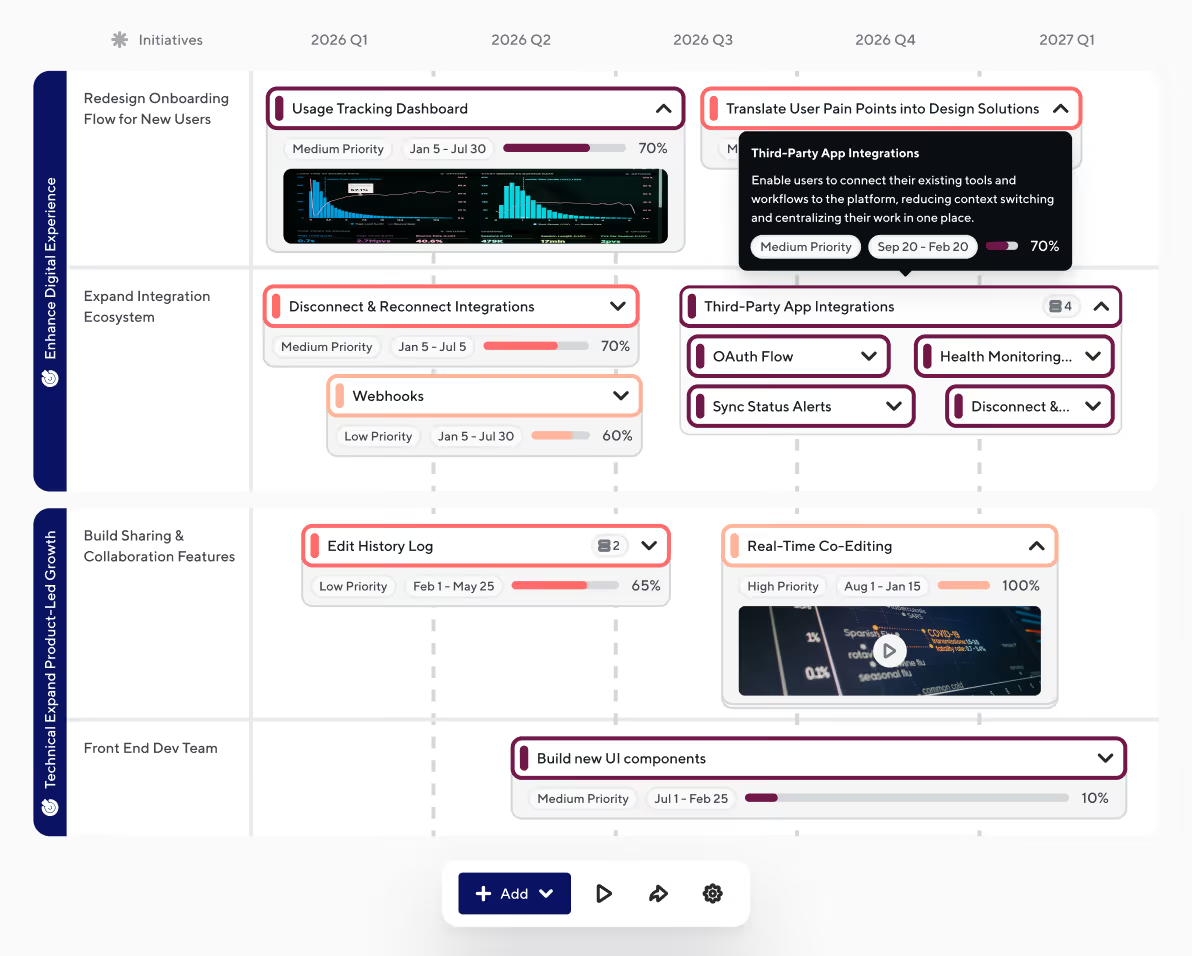
Click any bar or container on a Strategic Portfolio to open a side drawer with field details, linked resources, and integration connections. Available to viewers and editors. Permission-aware: if a viewer does not have access to the underlying roadmap, the drawer opens but the content is hidden.
What this unlocks: a stakeholder who clicks into a deliverable gets the full story, in place. Status. Linked Jira or ADO ticket. Resource document. Progress to date. No more "let me ask the PM and get back to you," no more navigating away from the view that brought them here in the first place.
Why both at once
Filter by Tag scopes the view. The drawer gives that scoped view depth. Together, they answer a question the strategic portfolio couldn't answer cleanly before: what does the right audience need to see, and how do they explore it without leaving?
What is coming
In Q2: the strategic portfolio becomes a true workspace. Four features land in May and June that bring even more capability to the portfolio. The Editable Drawer (edit deliverables directly in the same surface stakeholders read from). Containers and Bars at the portfolio level (visual breakdown of work, in place). List View. Table View. Same data, structured to cater to whoever's in the room.
Beyond that:
- Custom view filters per audience: scope each view individually, so every audience gets the right level of detail.
- In-flow objective and initiative creation: build strategic alignment objects without leaving the roadmap.
- External sharing for strategic portfolios without a login.*
- Embedded images and videos. Stakeholder feedback captured directly on the deliverable.
All of this rolls toward one larger move: the unification of portfolios, roadmaps, and strategic portfolios into a single Strategic Roadmap offering. The features above are the stepping stones.
The strategic portfolio is becoming a place where teams align, stakeholders engage, and decisions get made, together, in one view. The work isn't finished. But the direction is clear, and these two updates are the start of how we get there.
Your next roadmap starts here.


.svg)